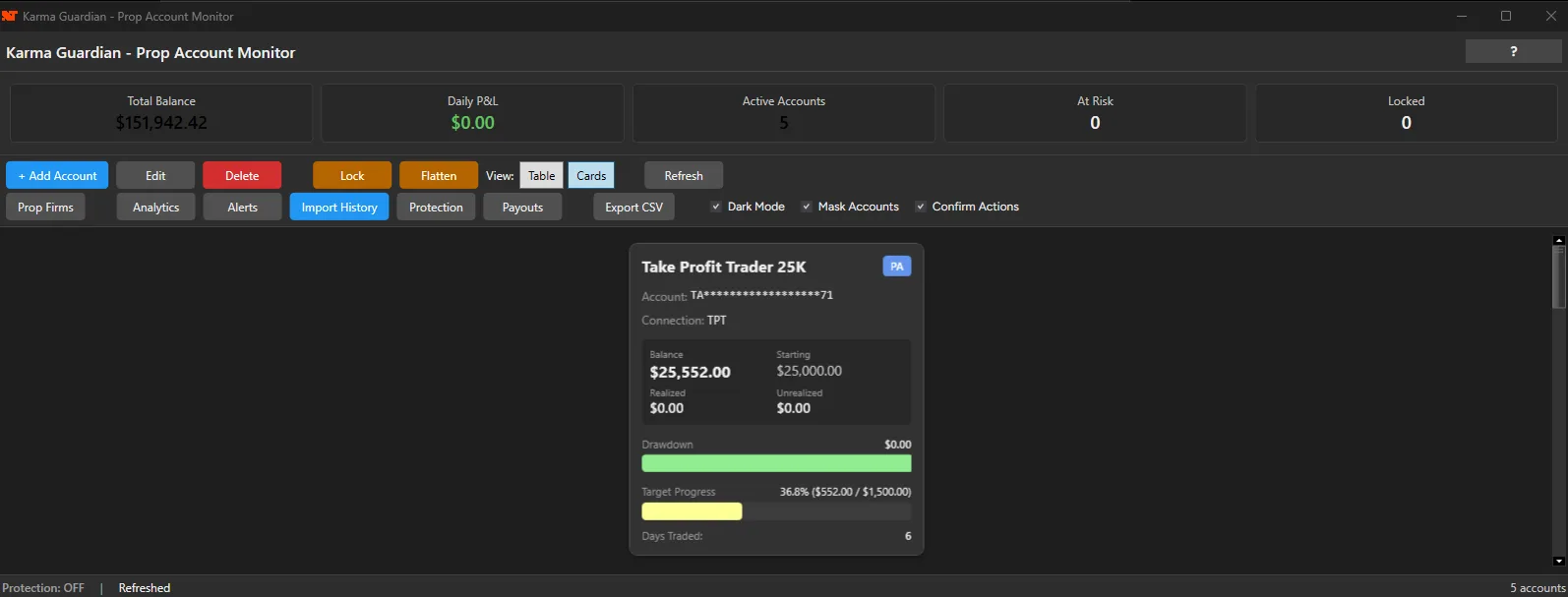
Real-Time Account Synchronization
Spreadsheets go stale within minutes. Karma Guardian syncs with your broker data in real time, typically within 1-5 seconds of an account change.
Every trade, deposit and withdrawal shows up in the same view, so the numbers you are looking at are current.
- 1-5 second sync speed
- Equity, drawdown, P&L always current
- Automatic updates—no manual refresh
- Works across all connected brokers
Built-In Prop Firm Presets
You do not have to type in each firm's rules by hand. Karma Guardian includes 7+ pre-configured rulesets for major firms including TakeProfitTrader, Lucid, FTMO and others.
A preset fills in the account limits, drawdown calculation, daily loss limit and profit target for that firm. Firms change their rules, so check a preset against your firm's current rules.
- One-click setup for major firms
- Pre-configured drawdown rules
- Daily loss limit tracking
- Custom rules for any firm
Intelligent Alert System
Alerts watch your accounts against rules you define, so you are not checking account status several times a day. Karma Guardian flags approaching limits and profit targets.
When an account nears a threshold, say 80% of maximum drawdown or your daily loss limit, you get a notification with time to react.
- Customizable alert thresholds
- Drawdown warnings before breach
- Daily loss limit notifications
- Profit target alerts
Protection Levels and Lockouts
Karma Guardian does more than watch. It has one built-in protection level that applies across the accounts it monitors: choose which lockouts you want and set the levels. Drawdown and daily loss each have a warning level and a lockout level. When an account reaches a lockout level, Karma Guardian locks it and blocks new orders on that account.
Nothing is enforced until you switch on Auto-Protection, so you decide when protection is live. A lockout blocks new orders only: it does not close open positions, and it works while NinjaTrader is open. Auto-Unlock can release the lock at a time you choose and at market open. For per-instrument rules, trading-hours windows, cooldowns or automatic flattening, add Discipline Master.
- Drawdown % lockout with a warning level
- Daily loss % lockout with a warning level
- Max trades per day
- Consecutive losses
- Daily profit target (consistency rule)
- Off until you enable Auto-Protection
- Trade Disciple stops copying to a locked account
 Bad