 Bad
BadGetting Started with BadBuddha
Install and activate your indicators, strategies, and add-ons in NinjaTrader 8
These steps apply to all BadBuddha products. The import process is identical across indicators, strategies, and add-ons.
What You'll Need
Before you begin, make sure you have:
- NinjaTrader 8 installed and running on your computer
- Your BadBuddha product file (.zip file containing your indicator, strategy, or add-on)
- Your NinjaTrader User ID (found in your NinjaTrader account settings)
Installation Steps
Follow these 5 steps to import your BadBuddha product into NinjaTrader 8
Downloaded the File
Download the BadBuddha product .zip file in your Downloads folder.
Note the name of the .zip file — you'll need it in the next step.
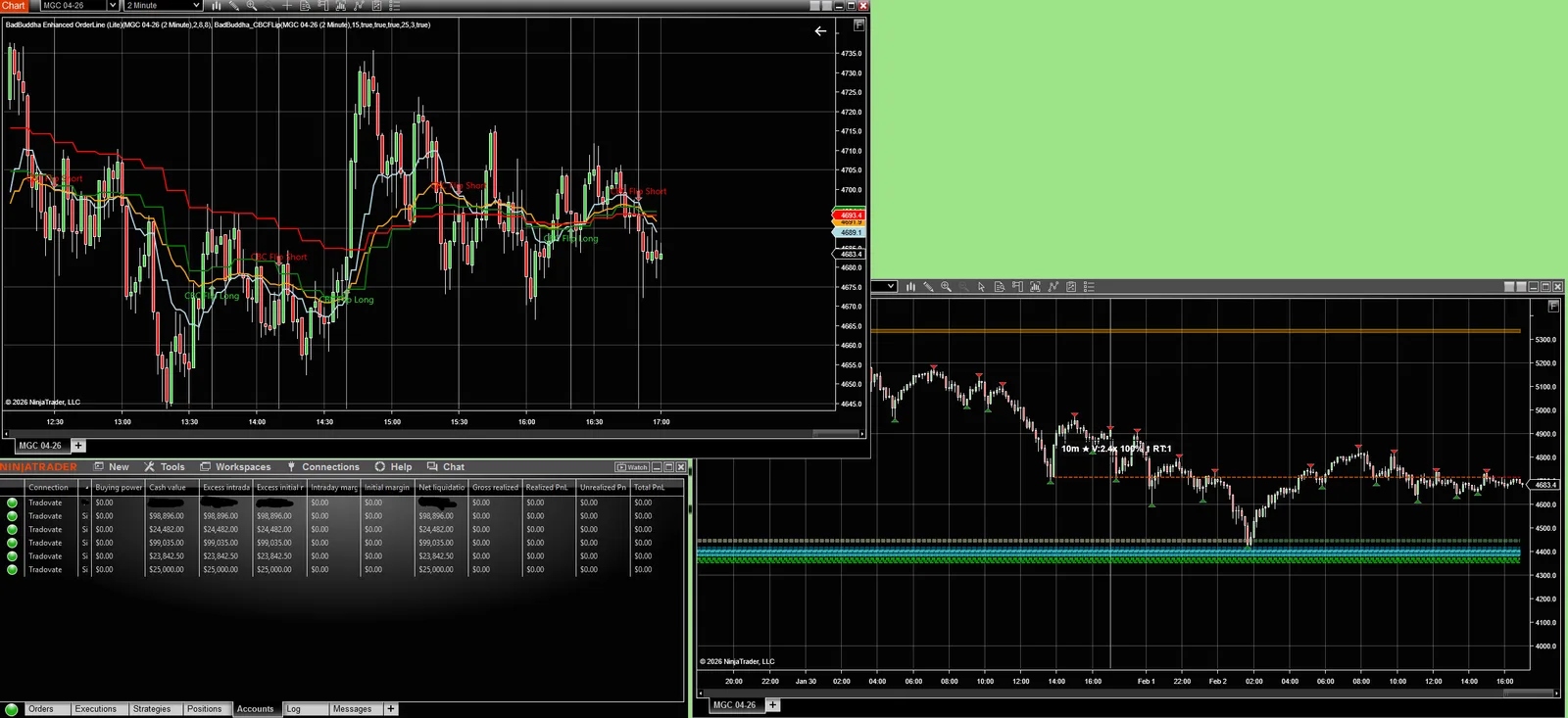
Open NinjaTrader 8
Launch NinjaTrader 8 on your computer. Wait for it to fully load before proceeding to the next step.
If you don't have NinjaTrader 8 installed yet, download it from ninjatrader.com.
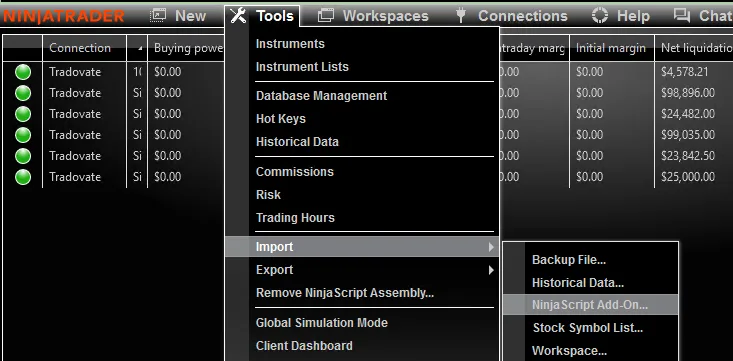
Navigate to Import
In the NinjaTrader Control Center menu bar, click:
This opens the NinjaScript Import dialog.
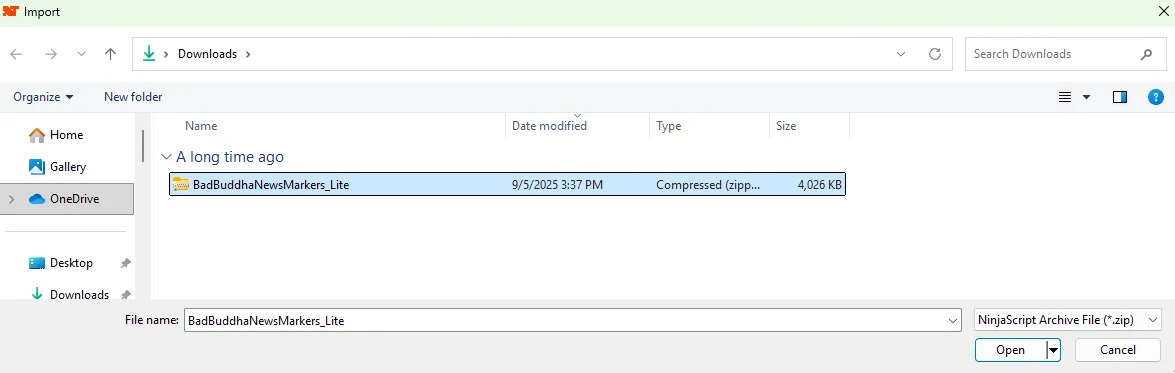
Select Your BadBuddha Product File
In the Import dialog, navigate to the downloaded file from Step 1.
Select the .zip file (the NinjaScript archive) and click Open.
Confirm and Complete the Import
Review the import summary. NinjaTrader will show you what's being imported (indicator, strategy, or add-on name).
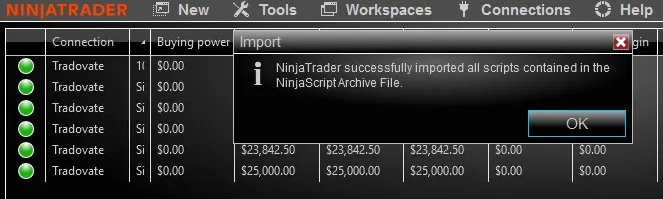
Click Import to complete the installation. You should see a success confirmation message.
Activate Your Pro Product
After installation, Pro products need to be activated. Lite (free) versions work immediately — no activation required.
- Step 1 Find your NinjaTrader User ID: In NinjaTrader, go to and locate your User ID (a 6-8 digit numeric identifier).
- Step 2 Email your User ID to support: Send an email to support@badbuddhacustoms.com with your User ID and the name of the product you purchased.
- Step 3 We activate it on our end: We'll verify your purchase and activate your product within 24 hours. No license keys, no serial numbers — we simply enable it in our system.
Hi, I've purchased [Product Name] and my NinjaTrader User ID is [Your 6-8 digit ID]. Please activate it for me. Thanks!
Need Help?
If you run into any issues during installation or activation, our support team is here to help.
Troubleshooting & FAQ
What if the import fails or shows an error?
Most import errors are caused by corrupted .zip files or incomplete downloads. Try re-downloading the file from your account or the product page, and make sure the .zip file fully extracted before importing. If the error persists, email support@badbuddhacustoms.com with a screenshot of the error message.
Where is my NinjaTrader User ID?
In NinjaTrader 8, click Tools → Account. Your User ID is displayed prominently in the Account window. It's typically a 6-8 digit numeric ID. Do not confuse it with your login email or account nickname.
Can I use the product before it’s activated?
Lite (free) versions work immediately after import — no activation needed. Pro versions require activation before they'll function. After we activate your Pro product, it will work immediately in NinjaTrader without needing to re-import or restart.
Do I need a license key or serial number?
No. BadBuddha products don't use license keys or serial numbers. Simply email us your User ID after purchasing a Pro product, and we'll activate it in our system. Clean, simple, no hassle.
Can I install on multiple computers?
Yes. You can install BadBuddha products on multiple computers. Simply perform the import process on each machine. Your activation is tied to your NinjaTrader User ID, not your computer — so as long as you're logged into the same NinjaTrader account, the product will work.
How long does activation take?
Most activations are processed within 24 hours. We verify your purchase, enable access in our system, and send you a confirmation email. No further action needed on your end — the product will just start working.