 Bad
Volume Pressure Lite
FREE
Need the full feature set? Upgrade to Volume Pressure Pro — $50
Version 1.2.0.0 · Free tool — no signup required. See the install guide to get it on your chart.
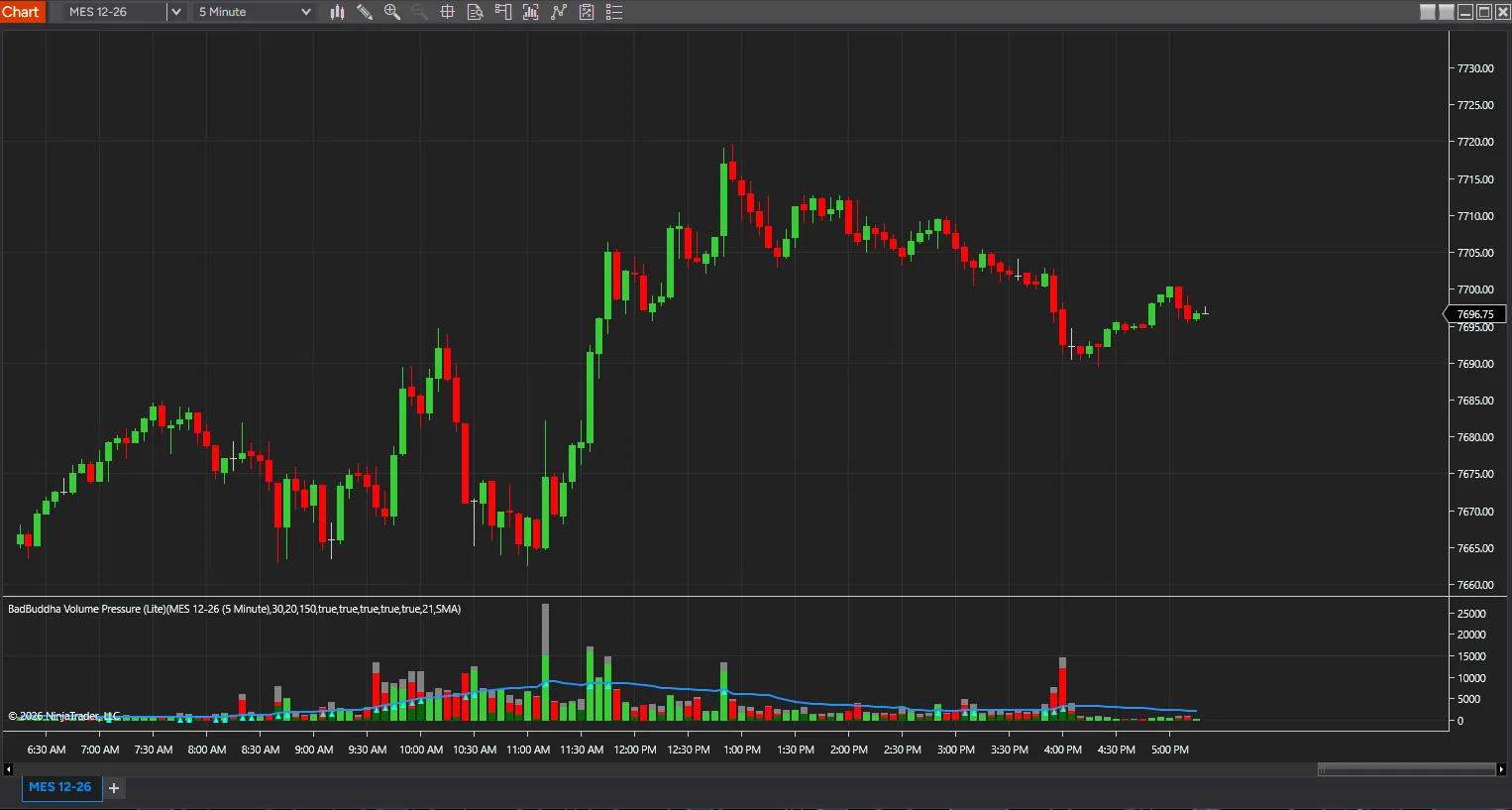
See who is winning each bar, not just how much traded. Volume Pressure splits every bar's volume into buying pressure and selling pressure and draws the split as a color-coded histogram — green for buying, red for selling, gray for total volume — directly under your chart.
What it plots
- Buying and selling volume — each bar's volume split by which side dominated, drawn in green and red
- Total volume — a gray reference bar for overall participation
- Volume average line — a moving average of volume (SMA, 21-period by default) so a bar's height reads against its own recent context
- Hot volume markers — flags bars whose volume clears your Hot Volume Percent threshold above the average (150% by default)
Why the split matters
A volume histogram alone tells you how much traded; it does not tell you who was in control while it traded. Two bars with identical total volume can mean very different things when one printed mostly buying pressure and the other mostly selling — reading the split gives breakouts, pullbacks and reversals more context before you act on them.
Configurable
Volume average period and type, the Hot Volume Percent threshold, and which of the total/buy/sell/average/hot-marker layers are shown are all adjustable, along with a color for each.
Install in Under a Minute
Same NinjaScript import as every NinjaTrader 8 add-on.
Download the .zip
Hit the download button above — no account or checkout for free tools.
Import into NinjaTrader 8
Control Center → Tools → Import → NinjaScript Add-On, then select the downloaded file. Don’t unzip it first.
Add it to a chart
Open a chart → right-click → Indicators (or the relevant menu) → add Volume Pressure Lite and configure it to taste.
Stay current
BadBuddha tools include an update checker that tells you inside NinjaTrader when a new version ships — and this page always serves the latest build.
Volume Pressure Lite FAQ
Is Volume Pressure Lite really free?
Yes — it's a free BadBuddha tool. No trial clock, no account, no activation; download it and use it.
How do I install Volume Pressure Lite?
Download the .zip, then in NinjaTrader 8 go to Control Center → Tools → Import → NinjaScript Add-On and select the file (don’t unzip it first). Full walkthrough in the Getting Started guide.
What does Volume Pressure Pro add over Lite?
Both editions plot the same buying/selling/total volume histogram, volume average line and hot-volume markers. Pro adds a live Buy% / Sell% split, plus the running volume average and the current bar’s volume (and its percentage of that average) printed directly on the chart, and offers an EMA volume average alongside the SMA Lite uses. Lite draws the histogram; Pro reads the numbers out for you.
Does it work on prop-firm evaluation and funded accounts?
It runs inside NinjaTrader 8 on whichever accounts your session is connected to, whether sim, evaluation or funded. It only draws on your chart and places no orders. It splits each bar’s volume into buying and selling pressure, so it depends on the volume your data feed sends for the instrument. Your prop firm’s rules are its own, so check them before you add any tool to a live account.
How do updates work?
Every BadBuddha tool ships with a built-in update checker — when a new version is released, NinjaTrader lets you know, and the download on this page always serves the current build.
Where do I get support?
Email support@badbuddhacustoms.com with "Volume Pressure Lite" in the subject line. Questions, bug reports, and feature ideas are all welcome.